 Written by
 Apr 15, 2021
Stuff will be used:
- the Sample will be
here(md5:84c82835a5d21bbcf75a61706d8ab549- sha256:ed01ebfbc9eb5bbea545af4d01bf5f1071661840480439c6e5babe8e080e41aa) - DIE (detecte it easy)
- Hex editor
- Dependency walker
- Disassembler
- Virtual machine
After i downloaded the sample i extract it and changed it name to avoid running it by accident.
I passed the file to DIE to get a better understanding of what i’m dealing with
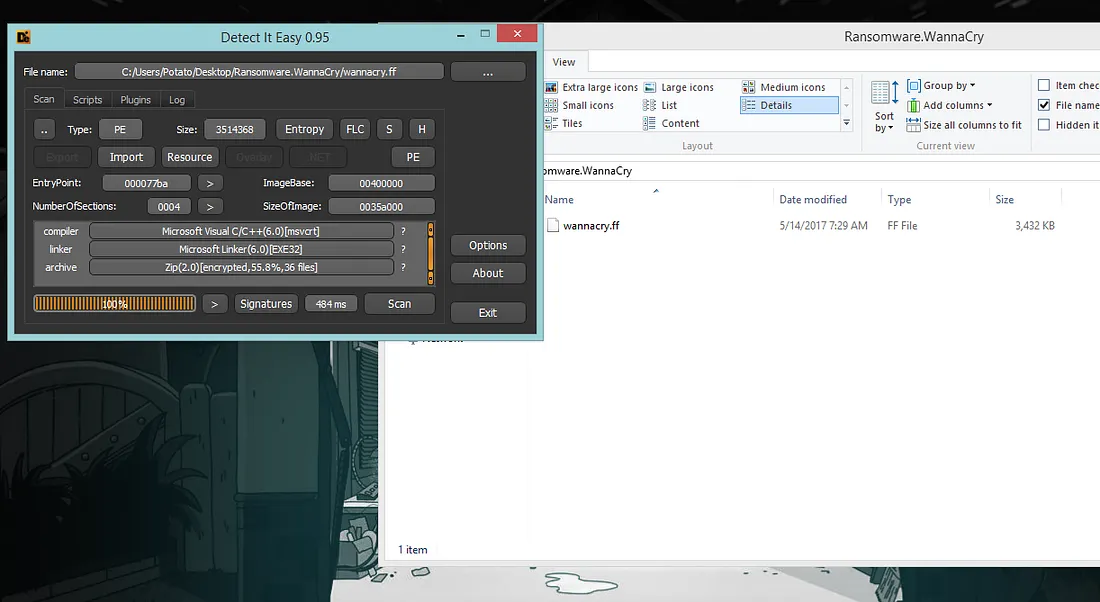 Figure 1: DIE output.
From DİE we can tell it’s a zip file also protected with a password so the goal will be find the password then unzip it.
Warning: it’s not fully protected, if you run the exe it will execute and spawn the malware. The “protected” file is the malware that gets spawned after running the exe.
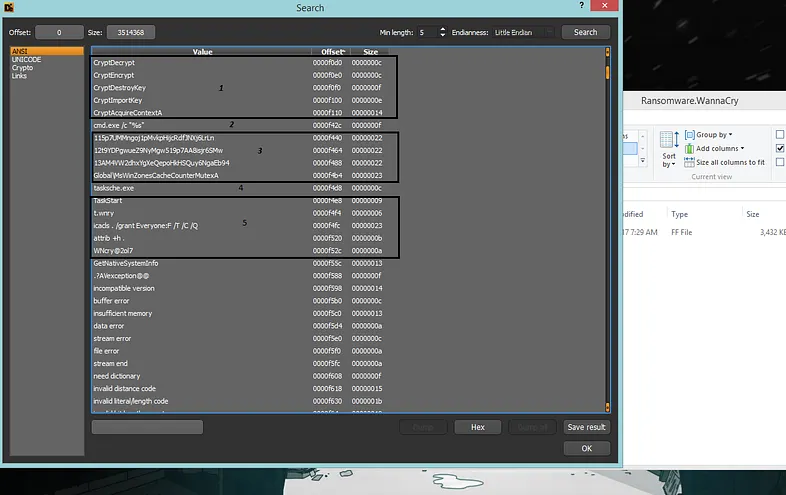 Figure 2: DIE CAN SHOW THE FILE STRINGS
.
Figure 2: DIE CAN SHOW THE FILE STRINGS
.
From strings we can guess thefollowing:
1- It will use encryption.
2- The cmd /c is used to create a new shell, execute the provided command and the %s will hold a place for a string which will be the command.
3- Three bitcoin wallet
4- Exe file(we will see it later)
5- A lot of strings but we can see icacls which will be used to change files and folders permissions. At this point we don’t get what the other strings will be used for but there is a weird string that looks like a passowrd WNcry@2ol7 but we don’t know for sure it’s the password.
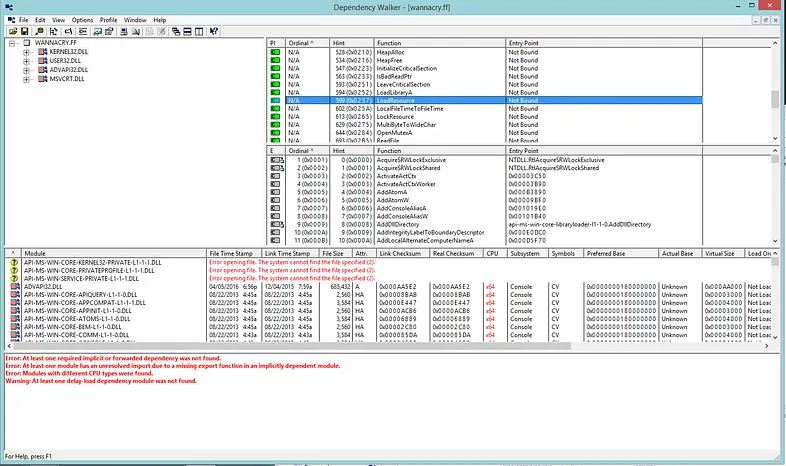 Figure 3.
When we open the file in dependency wallker from the imported functions like LoadResource And LockResource we can tell it will try to unzip it self when we run it, checking the other function will give us more imported information.
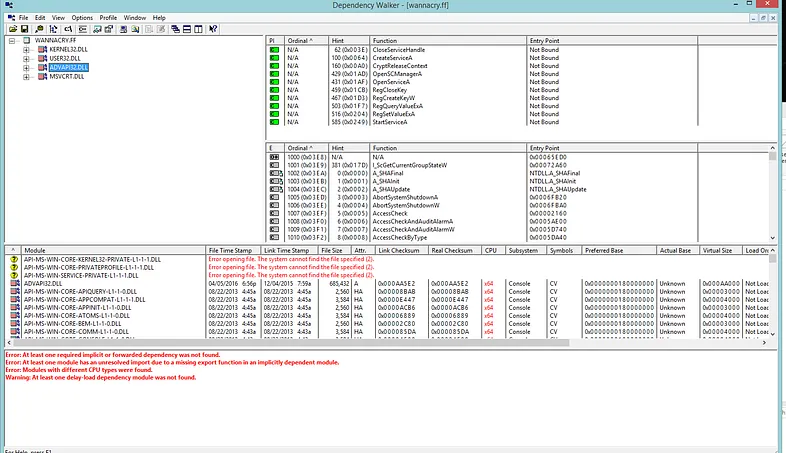 Figure 4.
When a malware imports advapi32 it will typically be used for create registers and that’s what’s happening here it uses it for services handling and for dealing with registers.
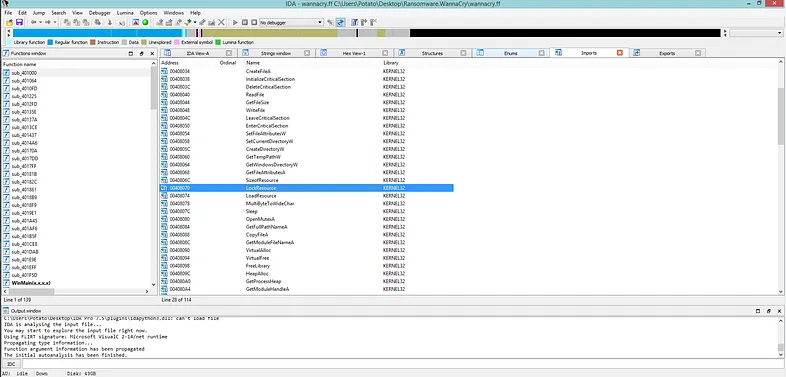 Figure 5: IDA PRO.
Using ida pro we can look to the imported function we already know it will use LoadResource and LockResource to unzip it self. Ctrl + x in ida pro will List cross references to the function
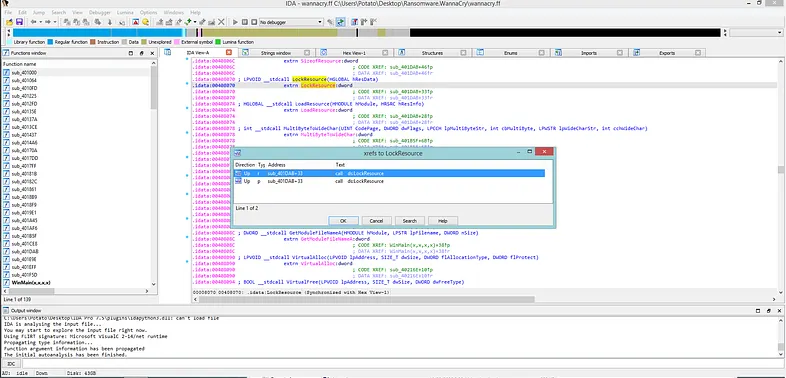 Figure 6
follow the first call
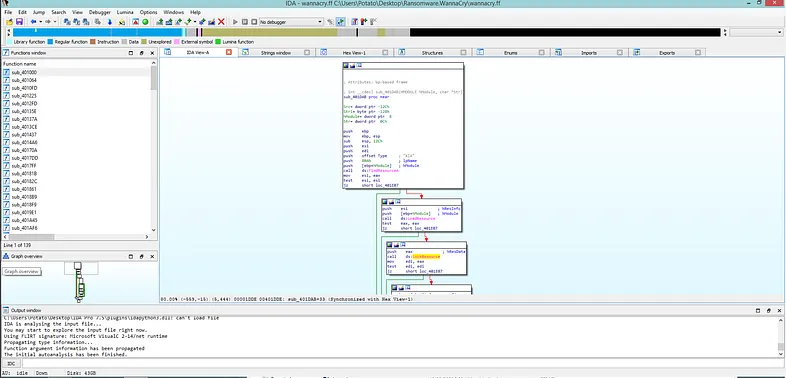 Figure 7
From here we see other calls to FindResourceA LoadResource LockResource possably it will use them to unzip it self so finding from where was the call was made to this function(sub_401DAB) selecting the function then ctrl + x will show one result following from where the call happend may give more info about what will happen here.
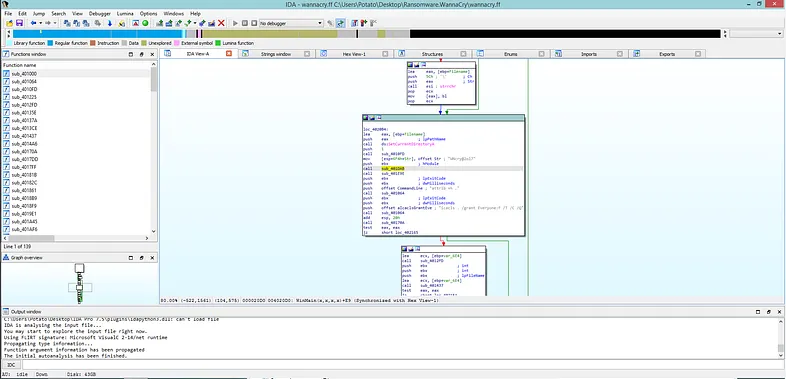 Figure 8
Before the call to sub_401DAB was made it pushed a string(WNcry@2ol7) as an argument to the function. A guess what tell us it’s the password to unzip it.
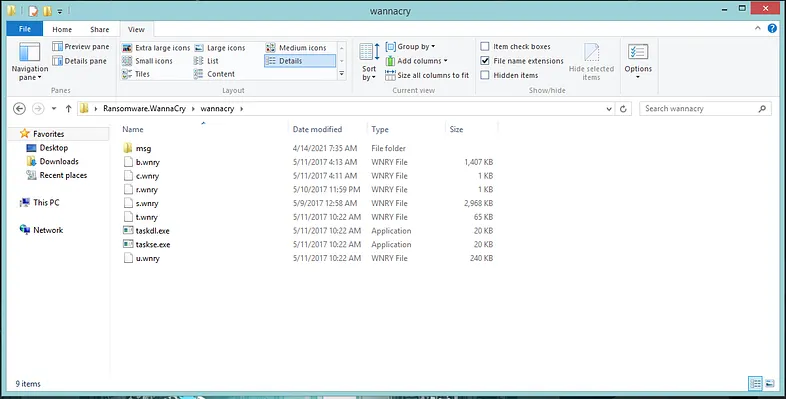 Figure 9: after extracting the zip file
Now looking into this files may show us what the malware will do after unziping it self.
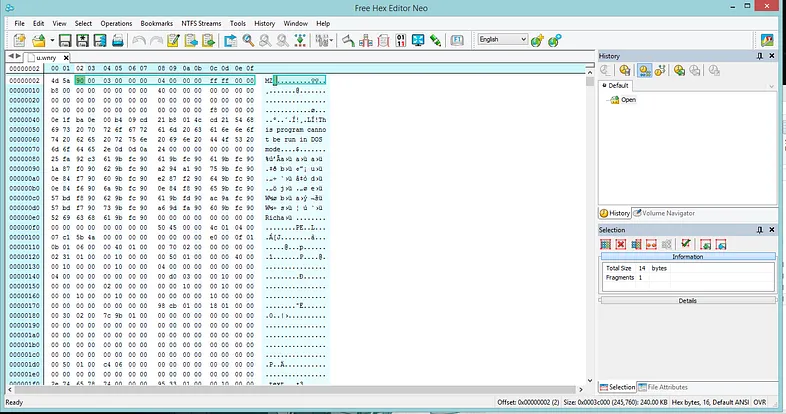 Figure 10
Opening u.wnry with Hex editor and from file signatures (MZ) it will be an executable file(dill or exe).
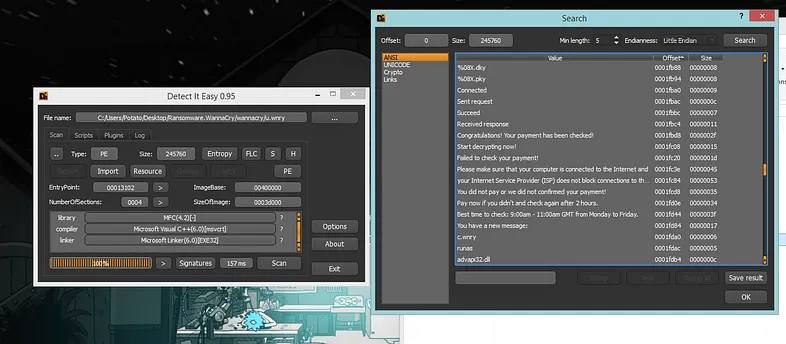 Figure 11: u.wnry
Opening it with DİE from the file strings we guess it will be used for decryption also looking more into the strings will show it has a list of languages. In Links section it will show us a google search for how to buy bitcoin. Extracting the file then looking into it, just from looking into the icons we can tell our guessing was correct when we run the malware we will see a file on the desktop has the same icons and will do the same functionality that we just looked into.
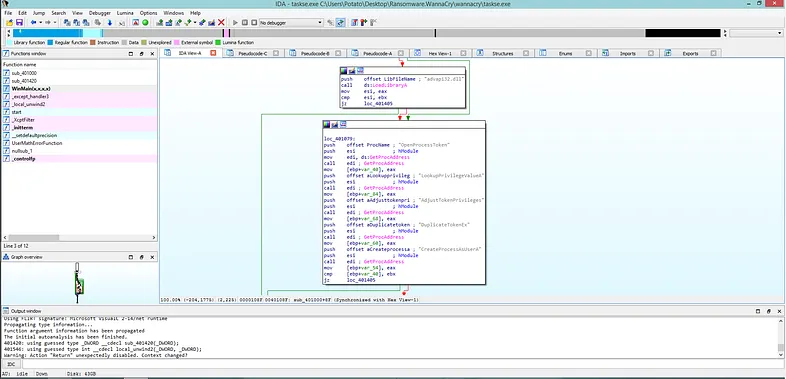 Figure 12: taskse.exe
If we open taskse.exe with IDA pro we can guess it’s trying to create a porcess as other users which may mean it will try infect other users possible.
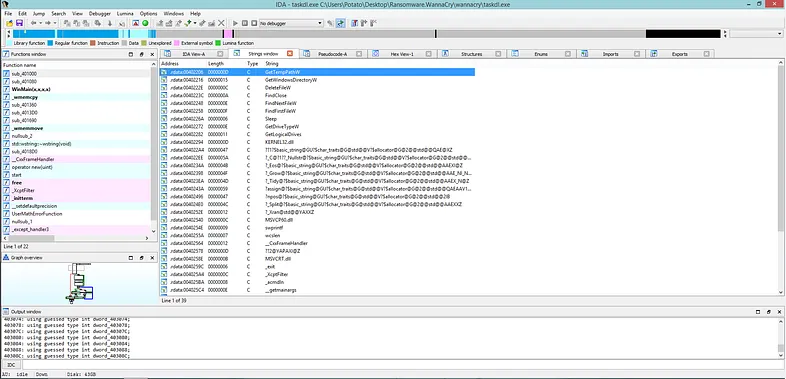 Figure 13: taskdl.exe
For taskdl.exe from the import functions GetTempPath GetWindowsDirectory DeleteFileW …etc
a guess would be it will look for files in the temp if you follow the calls you will see a string reference ”.WNCRYT” which it will look for file that ends with .WNCRYT which it will be the files that was created during encrypting stage and it will delete them.
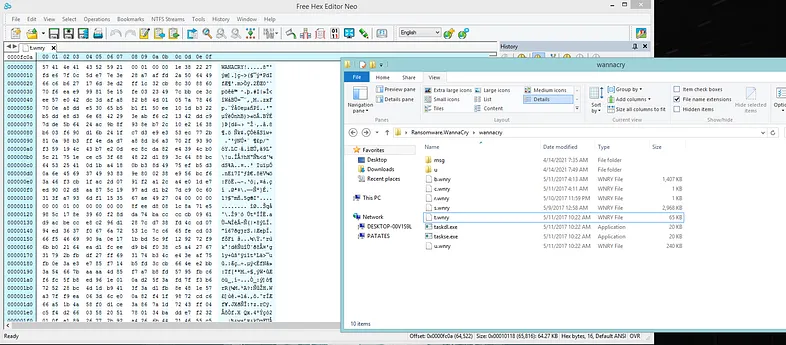 Figure 14: t.wnry
t.wnry if we look it in DİE it wont give any result but openining it with hex editor will give us file signatures as WANACRY and we can guess it’s an encrypted file(If the private key was retrieved you can decrypt this file with it).
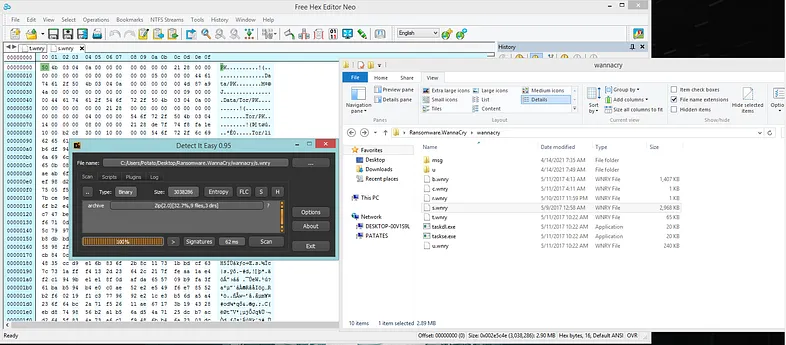 Figure 15: s.wnry
Opening a.winery with DIE and hex editor will tell us it’s a zip file.
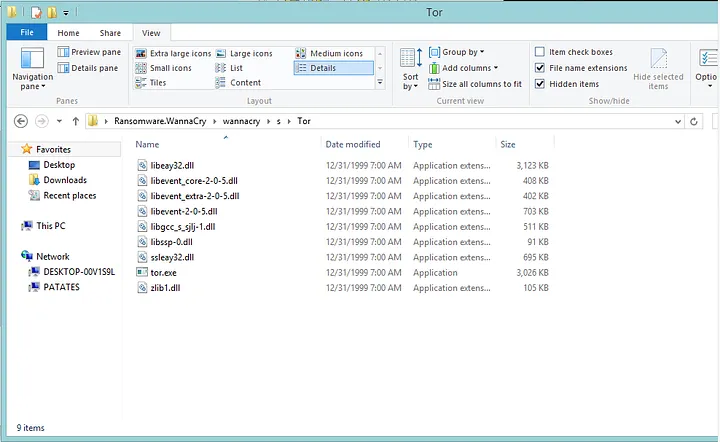 Figure 16: s.wnry after extraction
After we extract the file we can see there is a tor folader when we open it it has some a dill files and an exe file tor.exe scan from virus total tell us it’s clean.
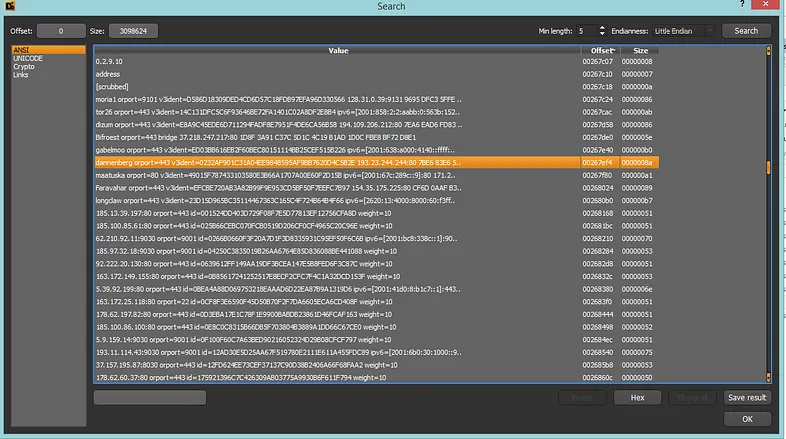 Figure 17: tor.exe
Opening tor.exe with DIE then we can check it strings we see a lot of ips (find all of them here). from here we can guess the malware will possibly use tor services for communication.
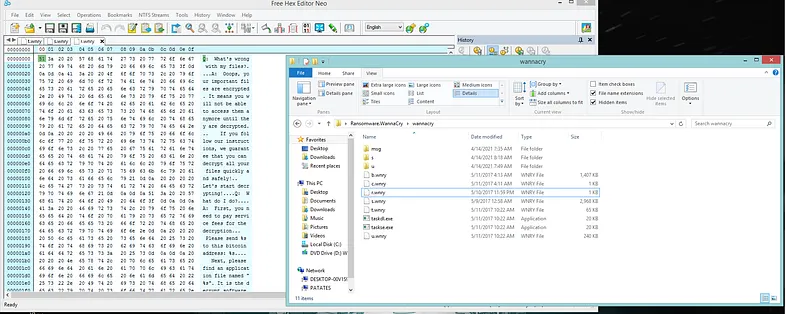 Figure 18: r.wnry
r.wnry contains a message.
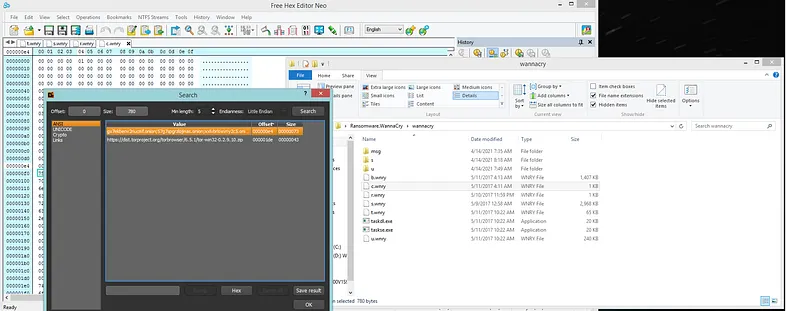 Figure 19: c.wnry
Opening c.wnry with DİE we can see it has a tor domains:
gx7ekbenv2riucmf.onion
57g7spgrzlojinas.onion
Xxlvbrloxvriy2c5.onion
76jdd2ir2embyv47.onion
cwwnhwhlz52maqm7.onion
sqjolphimrr7jqw6.onion
b.wnry file just a BMP file, a bitmap format used mostly in the Windows And it will be the desktop wallpaper (change the format to bmp to see the wallpaper).
Msg folder will only contain the Language file.